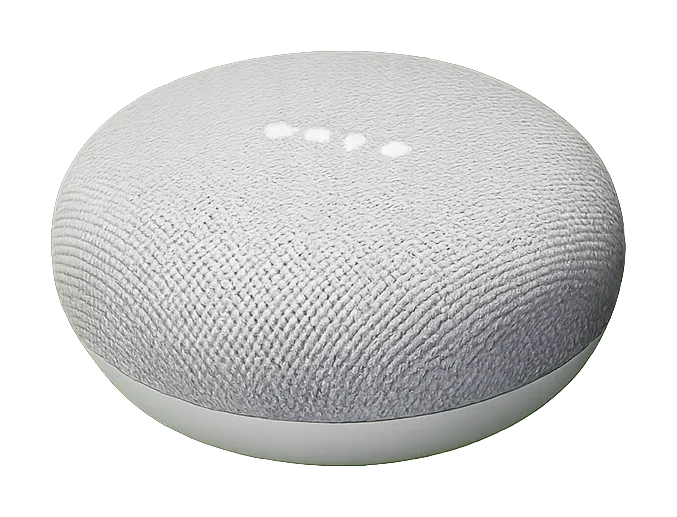
The home unit is the same clock with a voice — a small, quiet box that calls the adhan through the Google speakers you already own. Every prayer, every day, even when every phone in the house is asleep.
Every prayer
Plays the adhan on real speakers throughout the home — the Google Nest and Cast speakers you already own.
Throughout the day
Qur’an, morning and evening dhikr, and Suhoor alarms on your schedule.
And this clock on your TV, all day.
Set up once
No subscriptions, no accounts — set up once in three minutes.
Designed with the care, concern and sincerity of a Muslim father.
"At true dawn" calls Fajr at the start of the prayer time, every day.
Either way it never plays before dawn or after sunrise.
Legacy (pre-v1.8.11, unused)
🌙 Evening & Ramadan
⏰ Schedule
Plays audio/wakey_wakey.mp3 on all enabled speakers.
To change the file, replace it in the project's audio/ folder.
Per-speaker control: see Speaker Routing tab → "wakeup" column.
⏰ Morning Wakeup
Showing all .mp3 files in the audio/ folder.
To add new options, drop more .mp3 files into that folder.
🔊 Which speakers play wakeup?
Tick the speakers that should play the wakeup audio. Changes auto-save.
Useful: enable only the bedroom speaker so the rest of the house doesn't wake up.
🌌 High Latitude (Isha Rule)
🌌 Persistent Twilight Skip
Skips Isha automatically when astronomical twilight never reaches -18°
at your location. Re-computed when location changes — works anywhere on Earth.
📶 WiFi Setup
checking connections…
Sorted by signal strength. Original Pi 3 sees 2.4 GHz networks only.
Ethernet stays up during the test. If the password's wrong, retry.
🔊 Speaker Defaults
🤫 Considerate Mode
Keeps the call to prayer at full volume, quietens extra audio (dhikr,
takbeeraat, duas), and silences it overnight so it won't disturb neighbours.
Advanced
How loud dhikr / takbeeraat / duas play, relative to the master volume.
→
Extra audio is silenced between these times. The call to prayer and the
suhoor alarm always play.
🔄 Updates
CastAdhan checks for updates daily at 04:00. You can also trigger a check manually.
—
(no log yet)
🔊 Audio Routing Matrix
Select which audio types play on which speakers
Speaker
🚫 Suhoor Exclusions
📺 Show the clock on your TV
On your TV's web browser, go to the address below — the prayer clock will fill the screen.
Bookmark it so it's one tap next time.
This CastAdhan's address on your home network
detecting…
On the TV:
1. Open the TV's web browser.
2. Type in the address shown above.
3. The clock appears — leave it running.
Tip: if it ever stops working (e.g. after the router restarts), reopen this tab to see the current address.
🎚️ Volume mixer — every sound, its own level
Set how loud each sound plays, as a % of the speaker's master volume — e.g. keep
Fajr at 100% and turn the other adhans or recitations down. Quiet-hours
protection still applies at night, so anything you turn up stays neighbour-safe after 10pm.
Loading…
📥 Upload audio
Drop an .mp3 here (or click to browse) to add a new audio file to your library.
Up to 50 MB. The file appears in the table below and can then be routed to any
prayer slot. Optional: choose an existing slot to replace its
file in one step (useful for E-1 multi-adhan picker — drop your favourite
adhan recording and assign it to "adhan").
⬇ Drop .mp3 file here
or click to browse
🎵 Audio Files
Audio Type
File Path
Status
Test
🕌 Quran & Programs
Schedule recitations to play automatically. Each item can be set to a fixed time
(e.g. 10:00) or relative to a prayer (e.g. 15 minutes after Maghrib). All times
are user-adjustable.